Video Studio
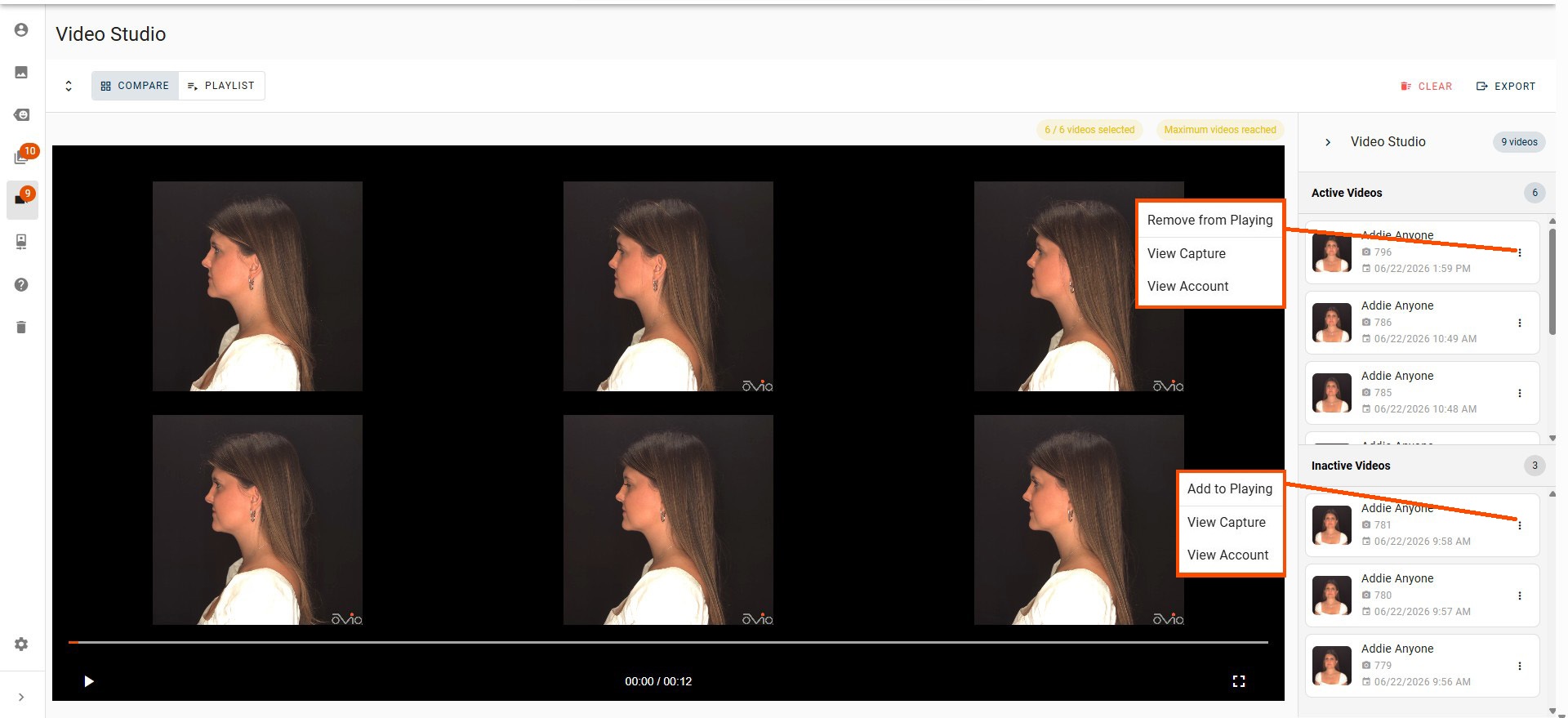
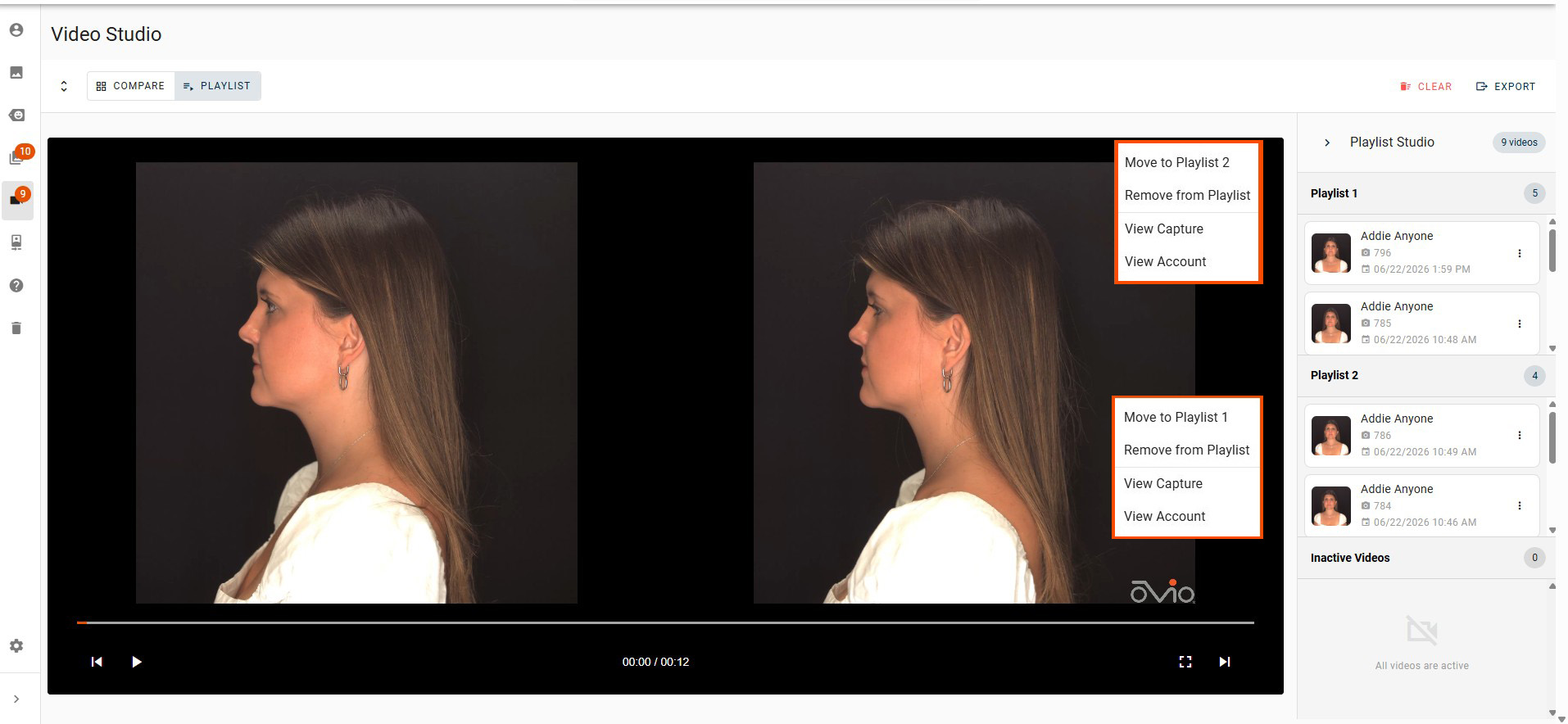
If User has added two or more Videos to the Image Studio, User may view the videos in either a comparison format or playlist format by toggling between the two icons at the top. User may also edit the position of videos in each player by dragging and dropping the video icon in the right panel or clicking on the ellipsis of the capture in the right panel. Comparative format is limited to six videos in the player. If there are more videos loaded into the Video Studio they will be loaded in the order selected into the "Inactive Videos". Videos can be moved from Inactive to Active by removing a Video from the Active list to allow another to replace it.
Clicking on the ellipsis of any of the Captures displayed in the right panel will give the user the option to Remove or Add to Player or Playlist, View the Capture, or View the Account.
Control for Full Screen mode is located in the player controls at the bottom right.
All images are cleared from the Studio at log out.
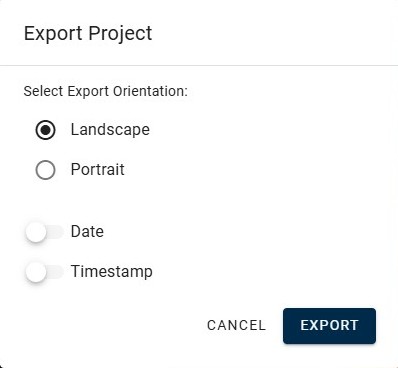
The toggle to the left of the comparison icon will change the orientation view in the Video Studio. This will not affect the orientation for export of the video. User can select the orientation at download if there are no more than two videos being exported in comparison mode. In Playlist mode both orientation options are available at all times.
Video Studio Export
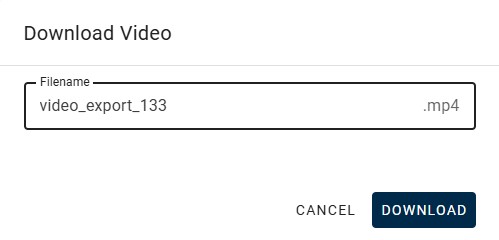
Comparison Videos or Playlists may be saved by clicking on the Export icon at the top right. User will be able to choose the export orientation, if it is available, and have a date or timestamp applied to the export. At that time they will then be navigated to the Video Review page where a dialog will appear indicating that the Export is in process. User can remain on the Video Review page for download to appear or check their email or the Account later for the download. After clicking Download, User will have the option to use either the default naming or custom name the export file.