Captures
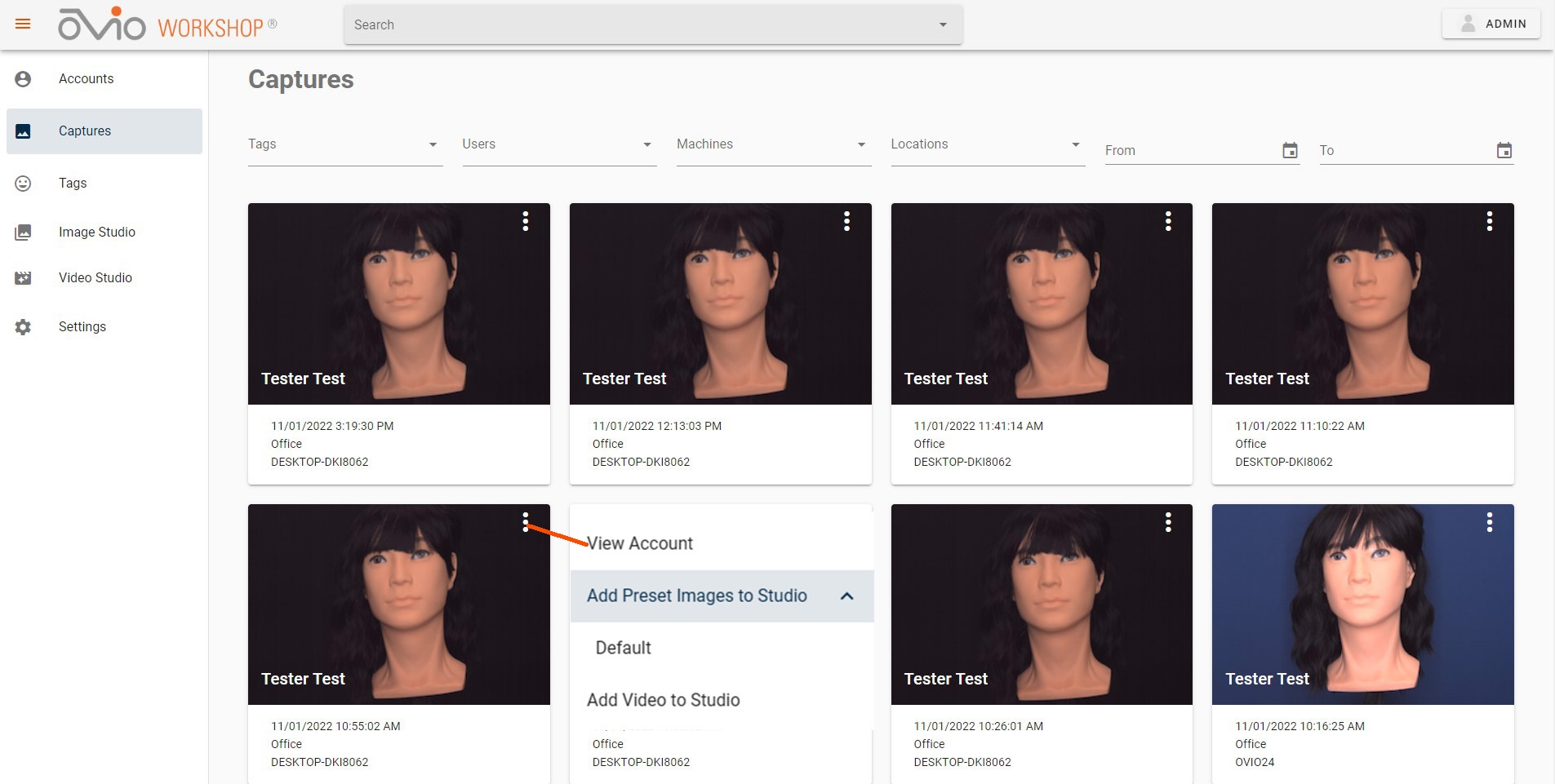
Selecting the Captures tab in the left menu will display all Captures stored in the database, in descending order. Any Captures with an audio file will display a music symbol on the thumbnail. Clicking on the ellipsis in the upper right of any displayed Capture will show a drop down menu that will allow User to View Account, Add Presets from custom profile or the default profile or add the Video to the Video Studio.
Filters
At the top of the Captures Page, there are filters that allow the User to narrow the search results by Tags, Users, and Date or Range of Dates. Additional filters for machine and location will be available for Users with a cloud installation.